React 学习笔记:Ref Hook
发布于: 2026-06-03 18:01:05 更新于: 2026-06-03 18:02:56
useRef 基础
基本用法
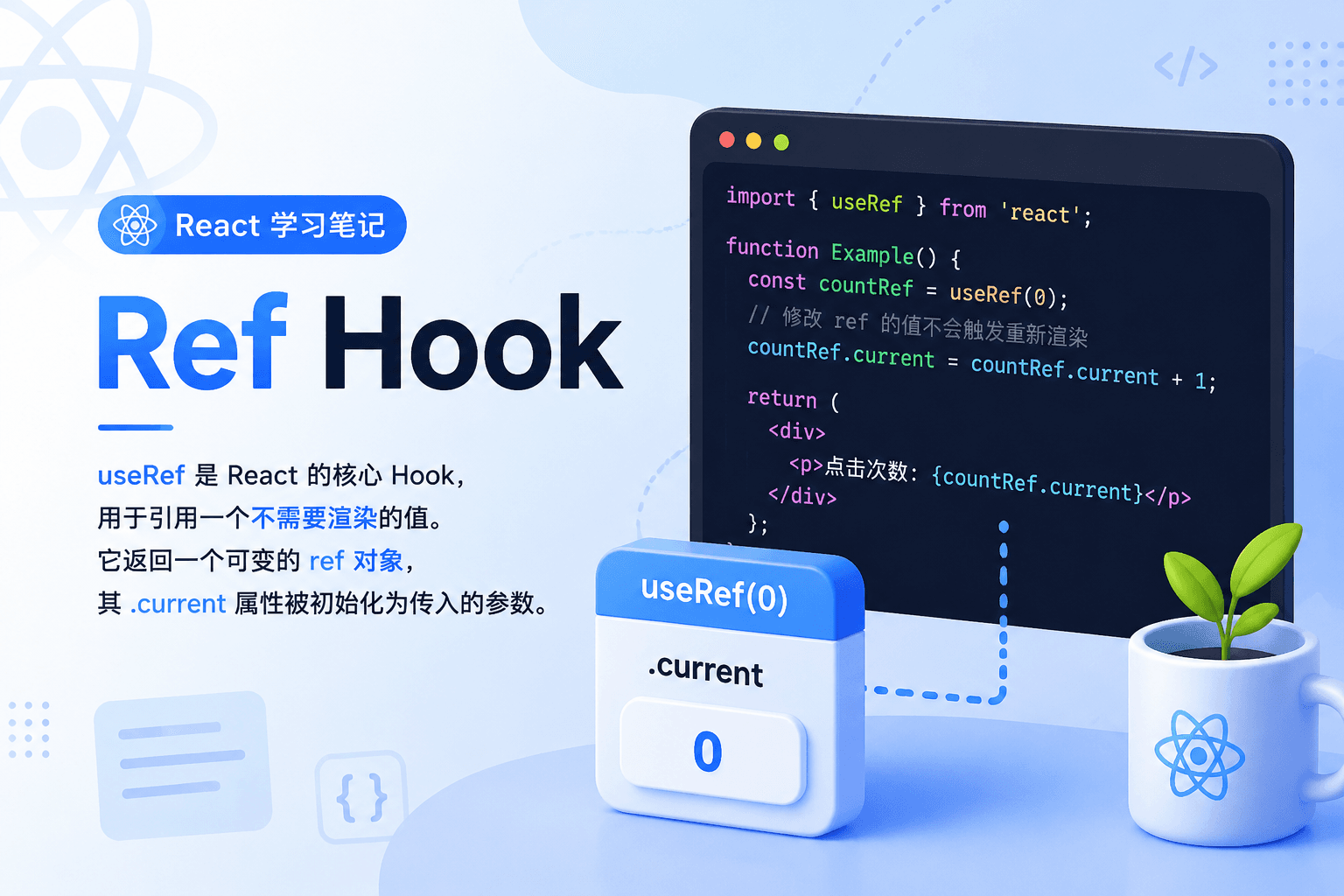
useRef 是 React 的核心 Hook,用于引用一个不需要渲染的值。它返回一个可变的 ref 对象,其 .current 属性被初始化为传入的参数。
import { useRef } from 'react';

function MyComponent() {
  // 声明 ref,初始值为 null
  const myRef = useRef(null);

  // 访问 ref 的值
  console.log(myRef.current); // null

  // 修改 ref 的值(不会触发重新渲染)
  myRef.current = 42;

  return <div>...</div>;
}
关键点:
- 在组件顶层调用
useRef - 返回的对象在后续渲染中保持同一引用
- 修改 ref 不会触发组件重新渲染
- 适合存储不影响视图的信息
参数说明
useRef(initialValue) 接收一个参数:
- initialValue:ref 对象的
current属性的初始值 - 可以是任意类型(数字、字符串、对象、DOM 节点等)
- 该参数仅在首次渲染时生效,后续渲染会被忽略
// 不同类型的初始值
const countRef = useRef(0);           // 数字
const nameRef = useRef('张三');        // 字符串
const inputRef = useRef(null);        // DOM 节点引用
const intervalRef = useRef(null);     // 定时器 ID
const cacheRef = useRef(new Map());   // 复杂对象
返回值
返回一个仅含 current 属性的对象:
const ref = useRef(initialValue);

// ref 对象结构
{
  current: initialValue
}
重要特性:
- 初始值为传入的
initialValue - 可后续赋值为其他内容
- 所有后续渲染中,
useRef返回的都是同一个对象 - 如果将 ref 作为 JSX 节点的
ref属性传递给 React,React 会自动设置current为对应的 DOM 节点
完整使用示例
示例 1:引用值(存储不影响视图的数据)
适合存储不影响视图的信息,例如 interval ID、定时器、缓存等。
点击计数器
import { useRef } from 'react';

function ClickCounter() {
  const countRef = useRef(0);

  function handleClick() {
    // 修改 ref 不会触发重新渲染
    countRef.current = countRef.current + 1;
    console.log('点击次数:', countRef.current);
  }

  return (
    <button onClick={handleClick}>
      点击我(查看控制台)
    </button>
  );
}
秒表
import { useState, useRef } from 'react';

function Stopwatch() {
  const [startTime, setStartTime] = useState(null);
  const [now, setNow] = useState(null);
  const intervalRef = useRef(null); // 存储 interval ID

  function handleStart() {
    setStartTime(Date.now());
    setNow(Date.now());

    // 每 10 毫秒更新一次
    intervalRef.current = setInterval(() => {
      setNow(Date.now());
    }, 10);
  }

  function handleStop() {
    // 使用 ref 中存储的 interval ID 来清除定时器
    clearInterval(intervalRef.current);
  }

  let secondsPassed = 0;
  if (startTime != null && now != null) {
    secondsPassed = (now - startTime) / 1000;
  }

  return (
    <div>
      <h1>时间过去了: {secondsPassed.toFixed(3)} 秒</h1>
      <button onClick={handleStart}>开始</button>
      <button onClick={handleStop}>停止</button>
    </div>
  );
}
为什么用 ref 存储 interval ID?
- interval ID 不需要显示在屏幕上
- 修改 ref 不会触发重新渲染
- 需要在不同的函数中访问和修改这个值
示例 2:操作 DOM
声明 useRef(null),将 ref 传给 JSX 节点的 ref 属性,React 渲染后会将 DOM 节点赋值给 current。
聚焦输入框
import { useRef } from 'react';

function TextInput() {
  const inputRef = useRef(null);

  function handleClick() {
    // 直接访问 DOM 节点并调用方法
    inputRef.current.focus();
  }

  return (
    <div>
      <input ref={inputRef} placeholder="点击按钮聚焦" />
      <button onClick={handleClick}>聚焦输入框</button>
    </div>
  );
}
滚动到元素
import { useRef } from 'react';

function ScrollToElement() {
  const divRef = useRef(null);

  function scrollToTarget() {
    divRef.current.scrollIntoView({
      behavior: 'smooth',
      block: 'center'
    });
  }

  return (
    <div>
      <button onClick={scrollToTarget}>滚动到目标</button>

      {/* 一些内容 */}
      <div style={{ height: '1000px' }}>...</div>

      <div ref={divRef} style={{ background: 'yellow', padding: '20px' }}>
        这是目标元素
      </div>
    </div>
  );
}
控制视频播放
import { useRef } from 'react';

function VideoPlayer() {
  const videoRef = useRef(null);

  function handlePlay() {
    videoRef.current.play();
  }

  function handlePause() {
    videoRef.current.pause();
  }

  return (
    <div>
      <video ref={videoRef} src="video.mp4" />
      <button onClick={handlePlay}>播放</button>
      <button onClick={handlePause}>暂停</button>
    </div>
  );
}
访问自定义组件的 DOM 节点
默认情况下,自定义组件不会暴露内部 DOM 节点。需要使用 forwardRef:
import { useRef, forwardRef } from 'react';

// 使用 forwardRef 包装组件
const MyInput = forwardRef(function MyInput(props, ref) {
  return <input ref={ref} {...props} />;
});

function Parent() {
  const inputRef = useRef(null);

  function handleClick() {
    inputRef.current.focus();
  }

  return (
    <div>
      <MyInput ref={inputRef} placeholder="自定义输入框" />
      <button onClick={handleClick}>聚焦</button>
    </div>
  );
}
示例 3:避免重复创建昂贵对象
若初始化值为昂贵对象(如 new VideoPlayer()),建议改用惰性初始化模式:
import { useRef } from 'react';

// ❌ 不推荐:每次渲染都会创建新的 VideoPlayer 实例
function BadVideoPlayer() {
  const player = new VideoPlayer(); // 每次渲染都执行!
  return <div>...</div>;
}

// ✅ 推荐:使用 ref + 惰性初始化
function GoodVideoPlayer() {
  const playerRef = useRef(null);

  if (playerRef.current === null) {
    // 只在首次渲染时创建
    playerRef.current = new VideoPlayer();
  }

  const player = playerRef.current;

  return <div>...</div>;
}
缓存计算结果
import { useRef } from 'react';

function ExpensiveComponent({ data }) {
  const cacheRef = useRef(new Map());

  function computeExpensiveValue(data) {
    // 检查缓存
    if (cacheRef.current.has(data.id)) {
      return cacheRef.current.get(data.id);
    }

    // 执行昂贵的计算
    const result = heavyComputation(data);

    // 存入缓存
    cacheRef.current.set(data.id, result);

    return result;
  }

  const value = computeExpensiveValue(data);

  return <div>{value}</div>;
}
useRef vs useState 对比
核心区别
| 特性 | useRef | useState |
|---|---|---|
| 修改后是否渲染 | ❌ 不触发重新渲染 | ✅ 触发重新渲染 |
| 值是否可变 | ✅ 直接修改 current |
❌ 通过 setter 更新 |
| 适用场景 | 不影响视图的数据 | 需要展示在屏幕上的信息 |
| 访问方式 | ref.current |
直接访问 state 值 |
| 更新时机 | 同步更新 | 批处理,下次渲染生效 |
代码对比
import { useState, useRef } from 'react';

function Comparison() {
  const [count, setCount] = useState(0);      // state
  const countRef = useRef(0);                   // ref

  function handleClick() {
    // State 方式
    setCount(count + 1);        // 触发重新渲染
    console.log('State:', count); // 仍然是旧值

    // Ref 方式
    countRef.current += 1;      // 不触发重新渲染
    console.log('Ref:', countRef.current); // 立即更新
  }

  console.log('组件渲染了'); // 只有 state 变化才会执行

  return (
    <div>
      <p>State 计数: {count}</p>
      <p>Ref 计数: {countRef.current}</p>
      <button onClick={handleClick}>增加</button>
    </div>
  );
}
何时使用哪个?
使用 useState:
- 需要在界面上显示的数据
- 数据变化需要触发 UI 更新
- 需要响应式更新的场景
使用 useRef:
- DOM 节点引用
- 定时器 ID(setInterval, setTimeout)
- 上一次的 state/props 值
- 缓存计算结果
- 任何不需要渲染的数据
重要注意事项
1. 渲染期间不要读写 ref.current
在渲染期间读写 ref 会破坏纯函数预期,使组件行为不可预测:
// ❌ 错误:在渲染期间修改 ref
function BadComponent() {
  const countRef = useRef(0);
  countRef.current += 1; // 渲染期间修改!
  return <div>{countRef.current}</div>;
}

// ❌ 错误:在渲染期间读取 ref 来决定渲染结果
function BadComponent2() {
  const flagRef = useRef(true);
  // 渲染期间读取 ref 来决定渲染结果
  if (flagRef.current) {
    return <div>条件 A</div>;
  }
  return <div>条件 B</div>;
}

// ✅ 正确:只在事件处理程序或 Effect 中读写 ref
function GoodComponent() {
  const countRef = useRef(0);

  function handleClick() {
    // 事件处理程序中修改 ref
    countRef.current += 1;
    console.log(countRef.current);
  }

  return <button onClick={handleClick}>点击</button>;
}
2. 修改 ref 不触发重新渲染
function Timer() {
  const countRef = useRef(0);
  const [displayCount, setDisplayCount] = useState(0);

  function increment() {
    countRef.current += 1;
    // ❌ 屏幕不会更新
    // ✅ 需要手动更新 state 来触发渲染
    setDisplayCount(countRef.current);
  }

  return (
    <div>
      <p>计数: {displayCount}</p>
      <button onClick={increment}>增加</button>
    </div>
  );
}
3. 只在事件处理程序和 Effect 中读写 ref
function MyComponent() {
  const ref = useRef(null);

  // ✅ 正确:在事件处理程序中读写
  function handleClick() {
    ref.current.focus();
  }

  // ✅ 正确:在 Effect 中读写
  useEffect(() => {
    ref.current.focus();
  }, []);

  // ❌ 错误:在渲染期间读写
  // ref.current.focus();

  return <input ref={ref} />;
}
常见问题解答
Q1: 为什么修改 ref 后屏幕没有更新?
ref 的修改不会触发重新渲染。如果需要更新屏幕,必须同时更新 state:
function Counter() {
  const countRef = useRef(0);
  const [displayCount, setDisplayCount] = useState(0);

  function increment() {
    countRef.current += 1;
    // ❌ 只修改 ref,屏幕不更新
  }

  function incrementWithDisplay() {
    countRef.current += 1;
    // ✅ 同时更新 state,屏幕更新
    setDisplayCount(countRef.current);
  }

  return (
    <div>
      <p>显示的计数: {displayCount}</p>
      <button onClick={incrementWithDisplay}>增加并显示</button>
    </div>
  );
}
Q2: 如何获取自定义组件的 ref?
默认情况下自定义组件不会暴露内部 DOM 节点。需要使用 forwardRef:
import { forwardRef, useRef } from 'react';

// ❌ 错误:无法直接获取自定义组件的 ref
function MyInput(props) {
  return <input {...props} />;
}

// ✅ 正确:使用 forwardRef
const MyInput = forwardRef(function MyInput(props, ref) {
  return <input ref={ref} {...props} />;
});

function Parent() {
  const inputRef = useRef(null);

  function handleClick() {
    inputRef.current.focus(); // 可以访问内部的 input 元素
  }

  return (
    <div>
      <MyInput ref={inputRef} />
      <button onClick={handleClick}>聚焦</button>
    </div>
  );
}
Q3: useRef 和 createRef 有什么区别?
import { useRef, createRef } from 'react';

// ❌ 不推荐:createRef 每次渲染都创建新对象
function BadComponent() {
  const myRef = createRef(); // 每次渲染都是新对象!
  return <div ref={myRef}>...</div>;
}

// ✅ 推荐:useRef 返回同一对象
function GoodComponent() {
  const myRef = useRef(null); // 始终是同一个对象
  return <div ref={myRef}>...</div>;
}
区别:
createRef每次渲染都创建新对象,适合类组件useRef返回同一对象,适合函数组件
Q4: 如何在 ref 中存储上一次的值?
import { useState, useRef, useEffect } from 'react';

function usePrevious(value) {
  const ref = useRef();

  useEffect(() => {
    ref.current = value;
  }, [value]);

  return ref.current;
}

function Counter() {
  const [count, setCount] = useState(0);
  const prevCount = usePrevious(count);

  return (
    <div>
      <p>当前: {count}</p>
      <p>上一次: {prevCount}</p>
      <button onClick={() => setCount(c => c + 1)}>增加</button>
    </div>
  );
}
Q5: 如何用 ref 缓存昂贵的计算?
import { useRef } from 'react';

function ExpensiveComponent({ items }) {
  const cacheRef = useRef(new Map());

  function getProcessedItems(items) {
    const key = JSON.stringify(items);

    // 检查缓存
    if (cacheRef.current.has(key)) {
      return cacheRef.current.get(key);
    }

    // 执行昂贵的处理
    const processed = items.map(item => ({
      ...item,
      computed: heavyComputation(item)
    }));

    // 存入缓存
    cacheRef.current.set(key, processed);

    return processed;
  }

  const processedItems = getProcessedItems(items);

  return (
    <ul>
      {processedItems.map(item => (
        <li key={item.id}>{item.computed}</li>
      ))}
    </ul>
  );
}
最佳实践
1. 将不影响 UI 输出的信息存入 ref
function Timer() {
  const intervalRef = useRef(null); // 定时器 ID
  const startTimeRef = useRef(null); // 开始时间
  const [elapsed, setElapsed] = useState(0);

  function start() {
    startTimeRef.current = Date.now();
    intervalRef.current = setInterval(() => {
      setElapsed(Date.now() - startTimeRef.current);
    }, 10);
  }

  function stop() {
    clearInterval(intervalRef.current);
  }

  return (
    <div>
      <p>经过: {elapsed}ms</p>
      <button onClick={start}>开始</button>
      <button onClick={stop}>停止</button>
    </div>
  );
}
2. 需要渲染的数据用 state
function Counter() {
  const [count, setCount] = useState(0); // 需要显示,用 state

  return (
    <div>
      <p>计数: {count}</p>
      <button onClick={() => setCount(c => c + 1)}>增加</button>
    </div>
  );
}
3. 创建昂贵对象时使用惰性初始化
function VideoPlayer() {
  const playerRef = useRef(null);

  // 只在首次渲染时创建
  if (playerRef.current === null) {
    playerRef.current = new VideoPlayer();
  }

  const player = playerRef.current;

  return <div>...</div>;
}
4. 只在事件处理程序和 Effect 中读写 ref
function MyComponent() {
  const ref = useRef(null);

  // ✅ 事件处理程序
  function handleClick() {
    ref.current.focus();
  }

  // ✅ Effect
  useEffect(() => {
    ref.current.focus();
  }, []);

  return <input ref={ref} />;
}
5. 通过 ref 转发让父组件访问子组件 DOM 节点
// 子组件
const ChildInput = forwardRef(function ChildInput(props, ref) {
  return <input ref={ref} {...props} />;
});

// 父组件
function Parent() {
  const inputRef = useRef(null);

  function handleClick() {
    inputRef.current.focus();
  }

  return (
    <div>
      <ChildInput ref={inputRef} />
      <button onClick={handleClick}>聚焦</button>
    </div>
  );
}
6. 遵循"保持组件纯粹"原则
// ❌ 错误:渲染期间读写 ref
function BadComponent() {
  const countRef = useRef(0);
  countRef.current += 1; // 渲染期间修改!
  return <div>{countRef.current}</div>;
}

// ✅ 正确:只在事件处理程序中修改
function GoodComponent() {
  const countRef = useRef(0);
  const [displayCount, setDisplayCount] = useState(0);

  function handleClick() {
    countRef.current += 1;
    setDisplayCount(countRef.current);
  }

  return (
    <div>
      <p>{displayCount}</p>
      <button onClick={handleClick}>增加</button>
    </div>
  );
}
高级用法
1. 使用 ref 存储上一次的值
function usePrevious(value) {
  const ref = useRef();

  useEffect(() => {
    ref.current = value;
  }, [value]);

  return ref.current;
}

// 使用示例
function Counter() {
  const [count, setCount] = useState(0);
  const prevCount = usePrevious(count);

  return (
    <div>
      <p>当前: {count}, 上一次: {prevCount}</p>
      <button onClick={() => setCount(c => c + 1)}>增加</button>
    </div>
  );
}
2. 使用 ref 实现防抖
function useDebounce(callback, delay) {
  const timeoutRef = useRef(null);

  return useCallback((...args) => {
    if (timeoutRef.current) {
      clearTimeout(timeoutRef.current);
    }

    timeoutRef.current = setTimeout(() => {
      callback(...args);
    }, delay);
  }, [callback, delay]);
}

// 使用示例
function SearchInput() {
  const [query, setQuery] = useState('');

  const debouncedSearch = useDebounce((value) => {
    // 执行搜索
    console.log('搜索:', value);
  }, 300);

  function handleChange(e) {
    setQuery(e.target.value);
    debouncedSearch(e.target.value);
  }

  return <input value={query} onChange={handleChange} />;
}
3. 使用 ref 实现节流
function useThrottle(callback, delay) {
  const lastCallRef = useRef(0);
  const lastArgsRef = useRef(null);

  return useCallback((...args) => {
    const now = Date.now();

    if (now - lastCallRef.current >= delay) {
      lastCallRef.current = now;
      callback(...args);
    } else {
      lastArgsRef.current = args;
    }
  }, [callback, delay]);
}
4. 使用 ref 保存多个值
function useMultipleRefs() {
  const refsMap = useRef(new Map());

  const setRef = useCallback((key) => (element) => {
    if (element) {
      refsMap.current.set(key, element);
    } else {
      refsMap.current.delete(key);
    }
  }, []);

  const getRef = useCallback((key) => {
    return refsMap.current.get(key);
  }, []);

  return { setRef, getRef };
}

// 使用示例
function Form() {
  const { setRef, getRef } = useMultipleRefs();

  function handleSubmit() {
    const nameInput = getRef('name');
    const emailInput = getRef('email');

    console.log('Name:', nameInput.value);
    console.log('Email:', emailInput.value);
  }

  return (
    <form onSubmit={handleSubmit}>
      <input ref={setRef('name')} placeholder="姓名" />
      <input ref={setRef('email')} placeholder="邮箱" />
      <button type="submit">提交</button>
    </form>
  );
}
什么是 useImperativeHandle
useImperativeHandle 是一个 React Hook,让你可以自定义组件通过 ref 暴露给父组件的方法。
简单说:它决定了父组件拿到的 ref.current 上有哪些可用的方法。
为什么需要它
在普通情况下,父组件通过 ref 可以直接访问子组件内部的整个 DOM 节点,这意味着子组件的实现细节完全暴露了。
// ❌ 问题:父组件能直接操作子组件内部 DOM 的一切
function MyInput({ ref }) {
  return <input ref={ref} />;
}

// 父组件可以做任何事:
inputRef.current.value = '随意修改';
inputRef.current.style.display = 'none';
useImperativeHandle 的作用就是:限制暴露的 API,只把你想让父组件调用的方法暴露出去。
语法
useImperativeHandle(ref, createHandle, dependencies?)
| 参数 | 说明 |
|---|---|
ref |
父组件传入的 ref |
createHandle |
一个函数,返回一个对象,对象上就是你想暴露的方法 |
dependencies |
依赖数组,和 useEffect 类似 |
示例:自定义暴露的方法
import { useRef, useImperativeHandle } from 'react';

function MyInput({ ref, ...props }) {
  const inputRef = useRef(null); // 内部的真实 ref

  useImperativeHandle(ref, () => {
    return {
      // 只暴露 focus 方法
      focus() {
        inputRef.current.focus();
      },
      // 只暴露 scrollIntoView 方法
      scrollIntoView() {
        inputRef.current.scrollIntoView();
      },
    };
  }, []); // 依赖数组为空,只创建一次

  return <input {...props} ref={inputRef} />;
}
// 父组件
function Form() {
  const inputRef = useRef(null);

  function handleClick() {
    inputRef.current.focus();            // ✅ 可以调用
    inputRef.current.scrollIntoView();   // ✅ 可以调用
    inputRef.current.value = 'hack';     // ❌ 拿不到,因为没暴露
  }

  return (
    <>
      <MyInput ref={inputRef} />
      <button onClick={handleClick}>聚焦输入框</button>
    </>
  );
}
核心要点
- 必须配合
forwardRef或 React 19 的新写法使用(React 19 中函数组件可以直接接收ref作为 prop) - 内部用一个自己的
useRef保存真实 DOM,外部的ref上只挂载你想暴露的方法 - 本质是一种 "受控的 ref",实现了封装 —— 子组件决定暴露什么,而不是全部交出去
使用场景
useImperativeHandle应该谨慎使用。大多数情况下,你不需要用它。
适合的场景:
- 需要命令式地操作子组件内部 DOM(如
focus()、scrollIntoView()、play()、pause()) - 但又不想把整个 DOM 节点暴露出去
不适合的场景:
- 数据传递 → 应该用
props - 状态同步 → 应该用
useState+ 状态提升
标签分类
# React# 前端